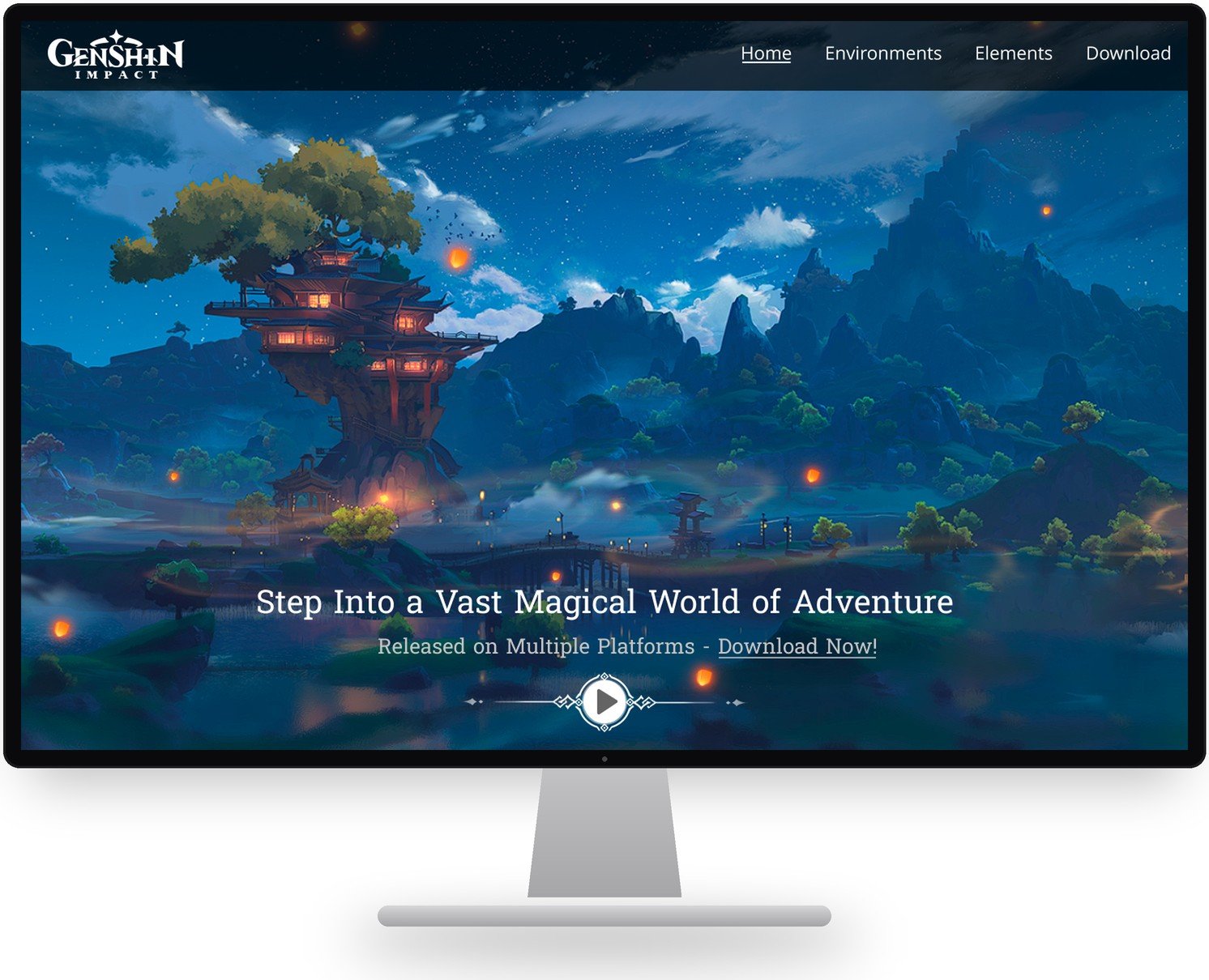
Home page of the Genshin Impact informational website shown on a desktop monitor

Genshin Impact Informational Website

Tool
Figma
Role
User Interface Designer
Timeline
2 months

Overview

I was tasked with creating an informational website that demonstrates a strong understanding of design principles and teaches users about a topic of my choosing. I chose Genshin Impact, a video game I play, and focused the site on teaching users about the game’s seven regions and its elemental combat system.

Goals

Going into this project, my goal was to challenge myself to follow Genshin Impact’s visual branding standards while applying the design principles I had learned to make the user experience as smooth as possible. I pushed myself to dig into the details of each principle and apply them in multiple places at once.

Process

My first step was to review the design principles and document, in a project proposal, how each one would shape the final design. From there, I moved into Figma and began prototyping, using the proposal as my guide for incorporating each principle.

Proposal

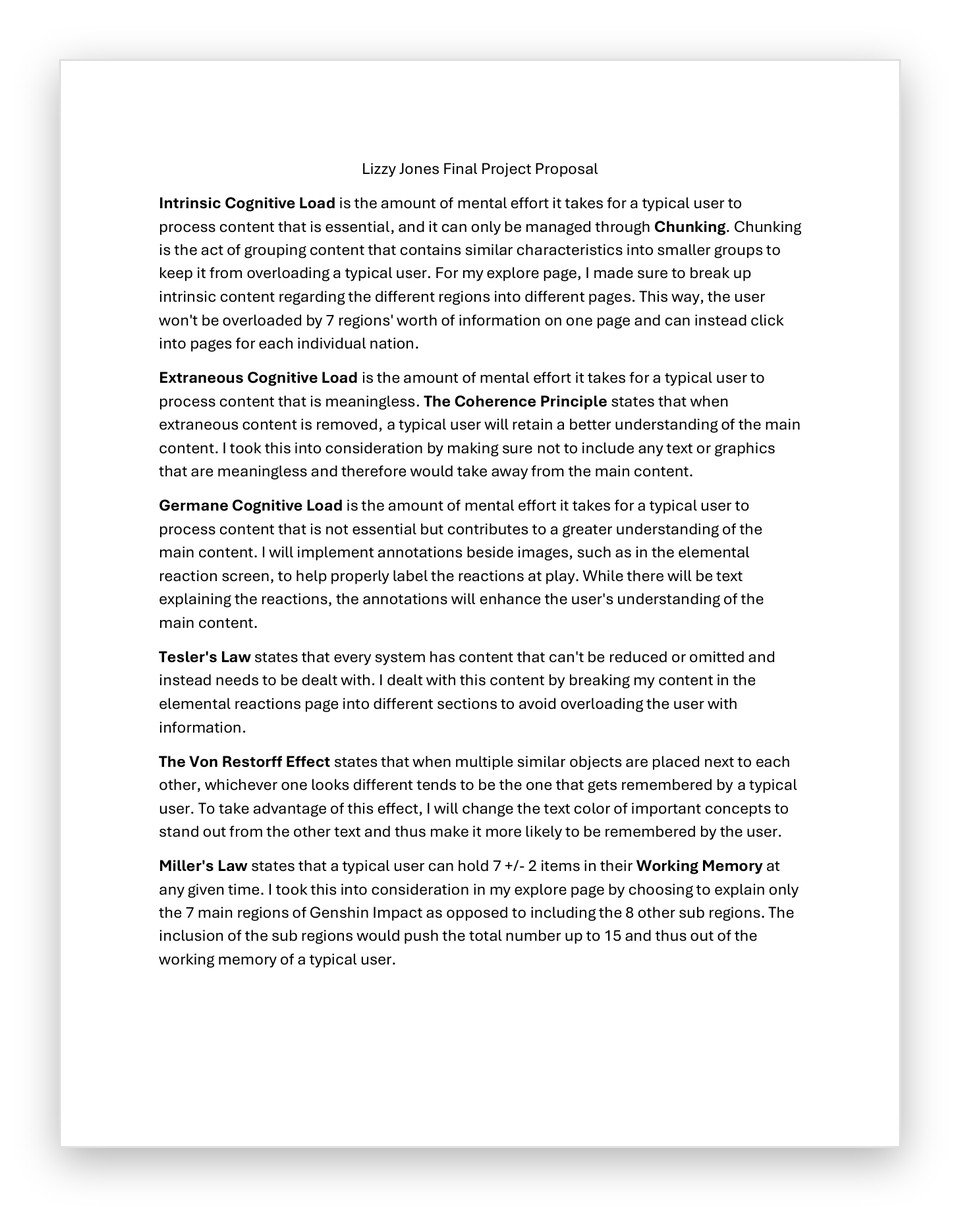
I used user interface design principles to plan my interface before starting on the design itself, which at first felt unfamiliar. In past projects, I jumped straight into designing without much planning and followed wherever my ideas took me. This proposal showed me the value of planning out design elements before building them. Use the link below to view my proposal and see where each design concept appears in the final project.

First page of the final project proposal

User Interface Design Concepts

The Von Restorff Effect

The Von Restorff Effect states that when multiple similar objects are placed together, the one that looks different is the one a user is most likely to remember. To take advantage of this effect, I bolded the most important text in every text box. For example, when summarizing each act of the main quests, I bolded the key story beats so users get a clear sense of each region’s story at a glance.
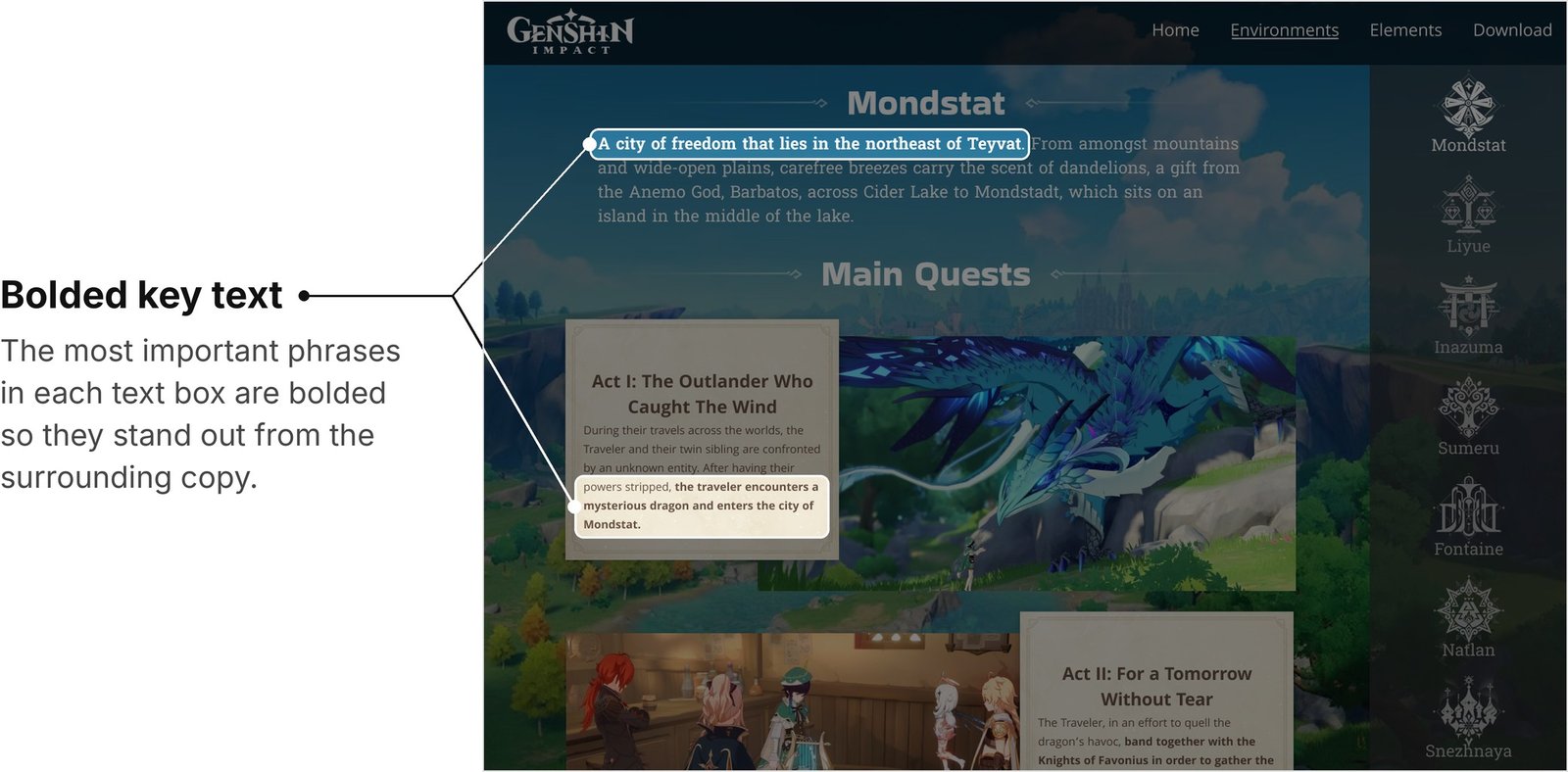
Mondstadt region page with the bolded key phrases in the region intro and the Act I summary highlighted

Miller’s Law

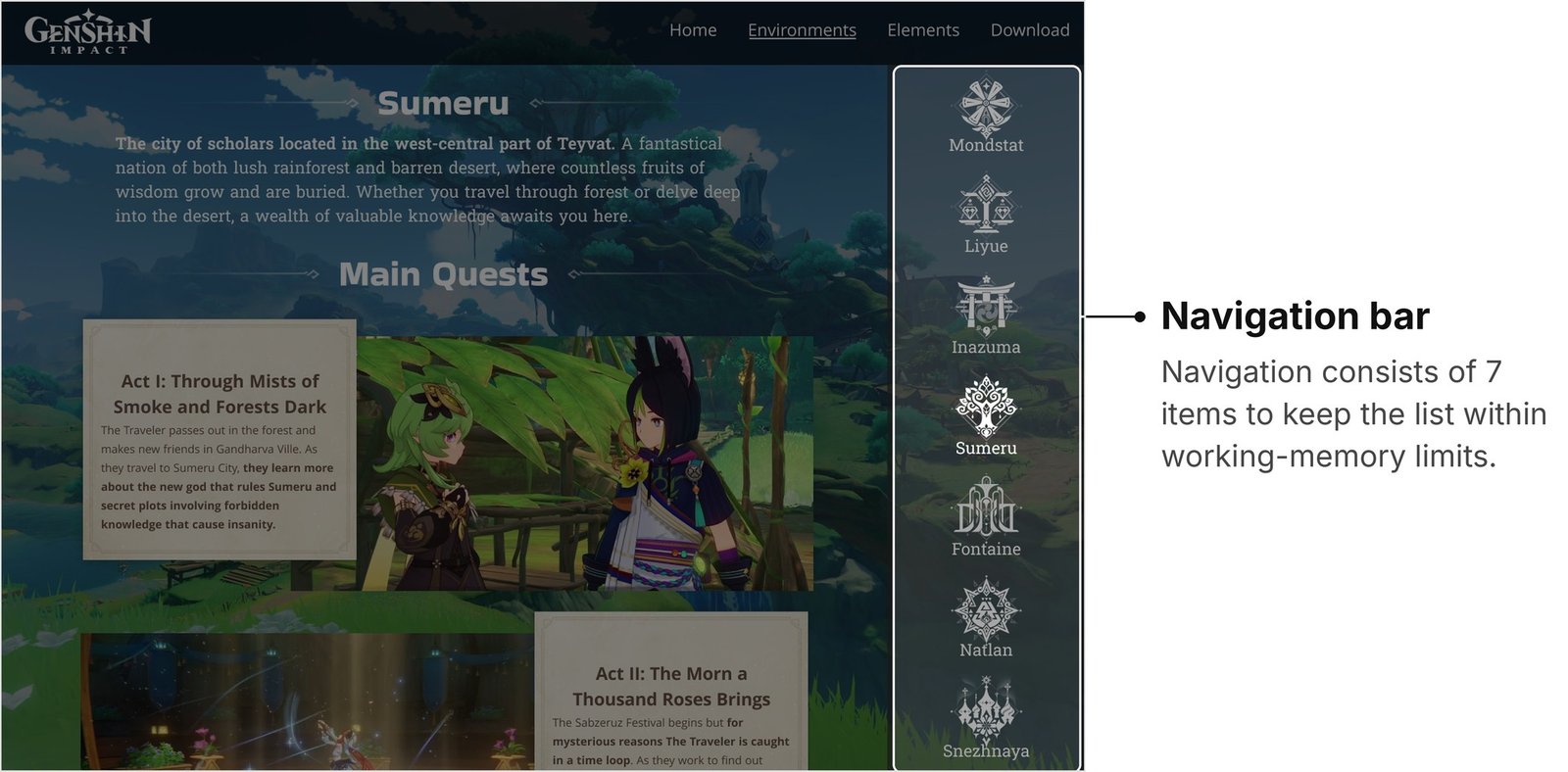
Miller’s Law states that the average user can hold 7 ± 2 items in their working memory at any given time. To follow this principle, I covered only Genshin Impact’s main regions, which total seven, rather than going in depth on every subregion, which would have brought the total to 15 and well outside the limits of Miller’s Law.

Sumeru region page with the seven-item navigation bar highlighted

The Spatial Contiguity Principle

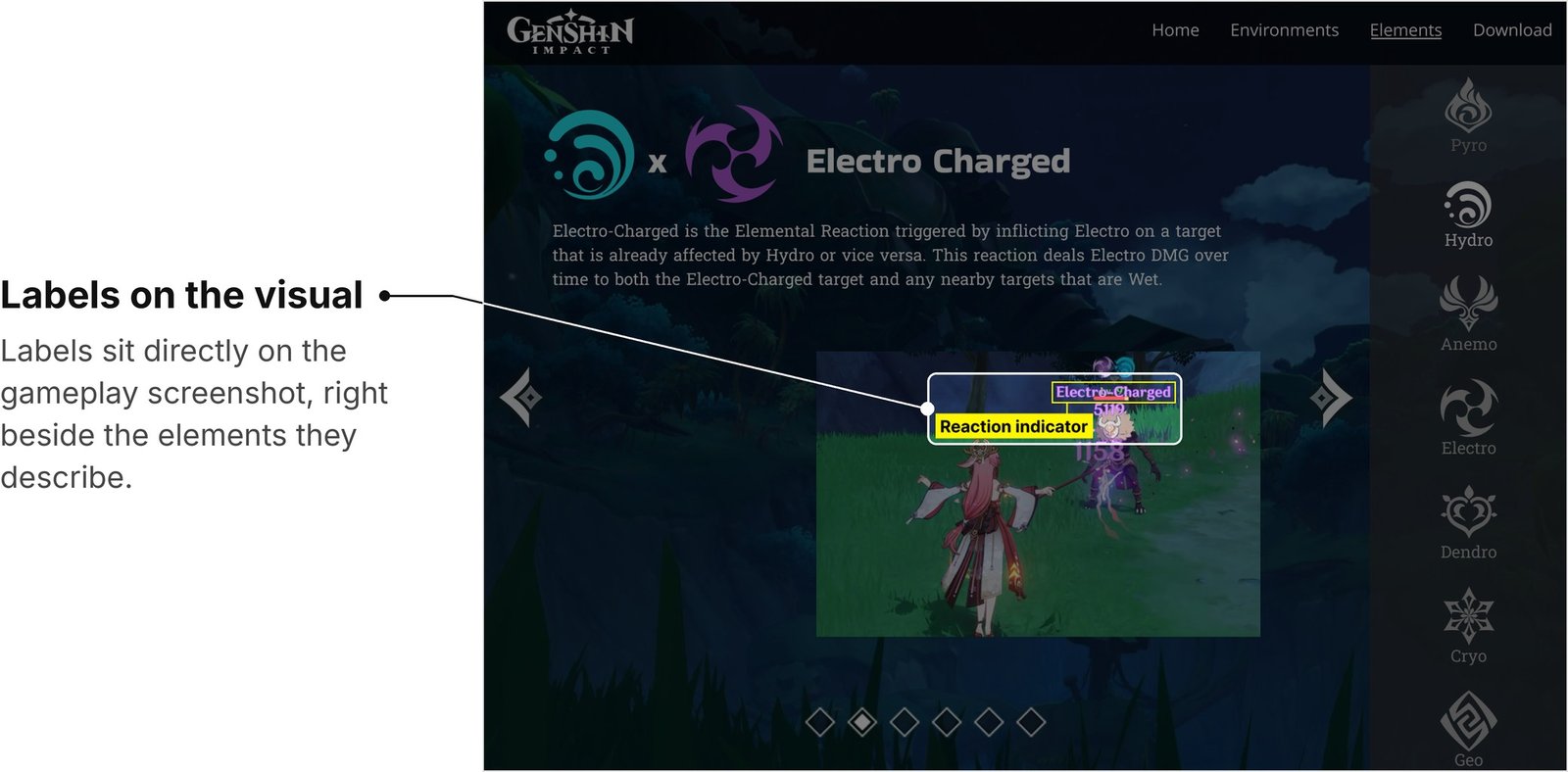
The Spatial Contiguity Principle states that users learn better when related images and text are placed close together rather than far apart. I applied this by keeping my annotations right next to the parts of each image they describe, so users understand exactly what each annotation refers to.

Electro-Charged reaction page with the on-screenshot reaction labels highlighted

Prototype

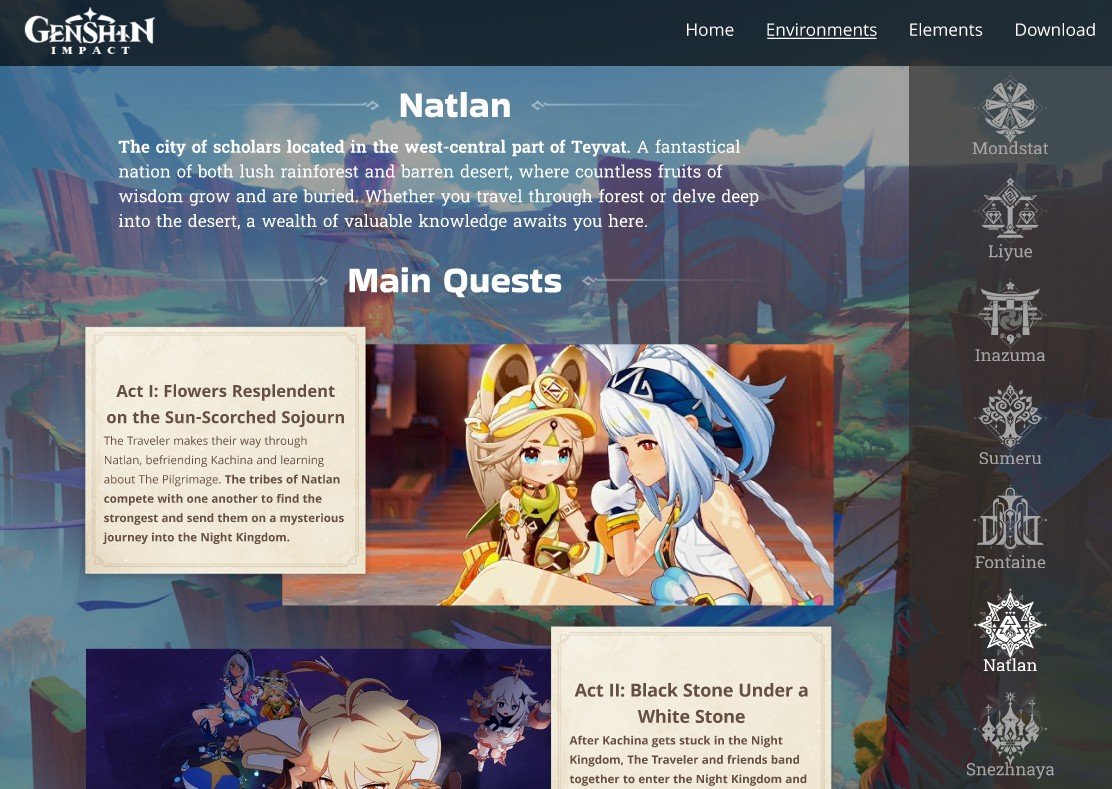
Over the course of four weeks, I built a prototype that matched Genshin Impact’s branding standards while incorporating the design principles I had learned. The site guides users through the game’s seven regions, giving an overview of each region’s main quests and an introduction to the god who rules it. It also explores the elemental combat system in depth, showcasing every one of the 27+ elemental reactions currently in the game. You can view the full prototype below.

Natlan region page from the Figma prototype

Takeaways

One of the biggest lessons I learned throughout this process was the importance of designing with intention. There is a reason behind the placement and appearance of every element in a design, and making choices without understanding why they matter can be risky.

I also learned to let go of design elements I liked once I realized they didn’t align with design principles. Originally, my scroll bars were unconventional, and I enjoyed the uniqueness they brought to the project. After careful consideration, however, I realized that their unconventional design wouldn’t follow Jakob’s Law and could lead to confusion and frustration for users.

Overall, this project gave me a greater understanding of how much thought goes into every design, since so many factors must be considered to make the experience as smooth as possible for every user. As designers, it’s up to us to meet the needs of the user.